


What is Microsoft SharePoint?
Microsoft SharePoint is a web-based collaboration and document management platform. It is designed to help organizations store, organize, share, and manage information securely. As a part of the Microsoft 365 ecosystem, SharePoint enables teams to work together more efficiently by providing a centralized environment for documents, internal communication, and business content.
SharePoint allows organizations to create structured document libraries, control access and permissions, and maintain version history. It ensures information to be accurate and up to date. It also supports internal websites, known as intranets, which are commonly used to share company news, policies, procedures, and knowledge across departments.
Core Functions of SharePoint
Microsoft SharePoint offers a wide range of features that help organizations manage content, collaborate efficiently, and maintain control over business information. As a cloud-based platform available through SharePoint Online, it provides flexibility, security, and seamless integration with other Microsoft tools.
Centralized Document Management
It enables organizations to store all documents in structured libraries with advanced version control, metadata, and search capabilities. This ensures teams always work with the latest information while maintaining a clear audit trail.
Secure Access and Permissions
With role-based access control, it allows businesses to manage who can view, edit, or share content. Sensitive information can be protected while still enabling collaboration across teams and departments.
Collaboration and Teamwork
It supports real-time collaboration, allowing multiple users to work on documents simultaneously. Changes are tracked automatically, reducing errors and improving productivity.
Integration with Microsoft 365
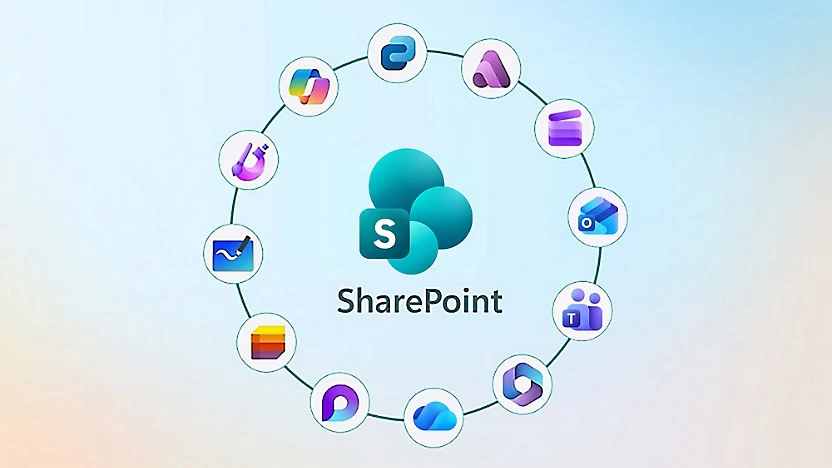
SharePoint integrates seamlessly with Microsoft Teams, Outlook, OneDrive, Power Automate, and Power BI. This integration helps businesses streamline collaboration, automate workflows, and connect documents with daily business processes across the organization.
Workflow Automation
Using Power Automate, SharePoint can support automated approval processes, notifications, and document lifecycle management. It reduces manual effort and improving operational efficiency.
Intranet and Internal Communication
Organizations can use SharePoint to build company intranets for sharing news, policies, procedures, and internal resources. It creates a centralized hub for internal communication and knowledge sharing.

Common Business Challenges SharePoint Solves
Organizations often face challenges related to document management, collaboration, and information governance as they grow. Microsoft SharePoint is designed to address these challenges by providing a centralized, secure, and collaborative platform for managing business content.
How it helps organizations overcome the following challenges:
Disorganized and scattered documents
Centralizes documents in structured libraries, making it easy for users to store, find, and manage files from a single, searchable location.Working with outdated or incorrect file versions
Built-in version control ensures teams always access the latest document while maintaining a full history of changes.Limited visibility and control over sensitive information
Role-based permissions and security settings allow organizations to control access to content and protect confidential data.Inefficient collaboration across teams and departments
It enables real-time collaboration and information sharing, helping teams work together more efficiently regardless of location.Manual and inconsistent approval processes
By integrating with Power Automate, it supports automated workflows that streamline approvals and reduce delays.Challenges supporting remote and hybrid work environments
Cloud-based access allows employees to securely collaborate and access information anytime, from any device.

Cost-effectiveness
Offers affordable solutions that help you reduce costs and improve your business’s bottom line.

Innovative Technology
Stays up-to-date with the latest technology trends and offer innovative solutions that helps your business stay ahead of the competition.

Industry Expertise
It specialize in serving industries like healthcare, finance, and manufacturing, offering customized solutions to meet your unique needs.

Scalability
Solutions are scalable and can grow with your business. This ensures you get the most value out of your investment.
Connect Your Teams, Simplify Your Work
Bring your teams, documents, and processes together in one place. See how SharePoint can simplify collaboration and drive results.
How Organizations Use SharePoint to Stay Productive
Across industries, organizations adopt Microsoft SharePoint. Not just as a document repository, but as a foundation for how work gets done.
In practice, SharePoint helps organizations by:
Reducing time spent searching for information
Companies use structured libraries, metadata, and enterprise search to ensure employees can quickly find documents, policies, and knowledge.Creating a single source of truth for business content
Becomes the central platform where approved documents, templates, and procedures are maintained, helping organizations eliminate conflicting versions and informal workarounds.Improving cross-department collaboration
Many businesses use it to connect departments that previously worked in silos, enabling shared workspaces where teams collaborate on projects, reports, and operational documents.Supporting controlled and auditable processes
Organizations rely on it’s workflows to manage approvals, document reviews, and internal requests, ensuring processes are consistent, traceable, and compliant.Strengthening internal communication and knowledge sharing
SharePoint intranets are widely used to distribute company news, announcements, and internal resources, helping employees stay informed and aligned.Scaling collaboration as the organization grows
As companies expand, it provides a scalable structure that supports new teams, locations, and users without increasing complexity or administrative overhead.


SharePoint Implementation Services
Successfully adopting SharePoint requires more than simply deploying the platform.
Our SharePoint implementation services include:
Consultation and Planning
Assess your organization’s needs, define goals, and develop a roadmap for an implementation suitable for your business processes.Migration and Setup
Move documents, data, and workflows from existing systems to SharePoint Online, ensuring a smooth transition with minimal disruption to daily operations.Customization and Integration
Configure SharePoint sites, libraries, and lists to align with your workflows, and integrate seamlessly with Microsoft 365 tools such as Teams, Outlook, Power Automate, Power BI, and Dynamics 365.Training and Support
Provide hands-on training for staff, administrators, and managers to ensure effective adoption, plus ongoing support to maintain and optimize your SharePoint environment.
SharePoint FAQ
Yes. SharePoint Online is included in most Microsoft 365 subscriptions. It provides cloud-based document management, collaboration, and intranet capabilities. It also integrate with Teams, Outlook, OneDrive, and other Microsoft apps.
Yes. SharePoint can act as a secure, centralized repository for all business documents, reducing reliance on traditional file servers while offering version control, access management, and search functionality.
Absolutely. SharePoint protects data with role-based access control, encryption in transit and at rest, and detailed audit logs. It supports compliance standards like ISO 27001, HIPAA, and GDPR, and integrates with Microsoft Defender and conditional access policies to safeguard information across devices and locations.
Yes. SharePoint Online is cloud-based, allowing employees to access documents, collaborate, and update content from anywhere using a web browser or mobile apps on iOS and Android. Offline access and synchronization with OneDrive ensure productivity even without a continuous internet connection.