


What Is Power BI?
Power BI is a business intelligence and data visualization platform developed by Microsoft. It is used to collect, model, analyze, and present data through interactive reports and dashboards. This platform enables users to work with data from multiple sources within a single analytical environment.
The platform allows users to connect to various data sources, including databases, files, cloud services, and online applications. After data is connected, this platform provides tools to clean, transform, and model the data before presenting it in visual formats such as tables, charts, graphs, and dashboards.
It is available through several components, including Power BI Desktop for report creation, Power BI Service for publishing and sharing reports, and Power BI Mobile for accessing reports on different devices. It is part of the Microsoft product ecosystem and supports integration with services such as Excel, Azure, SQL Server, and Dynamics 365.
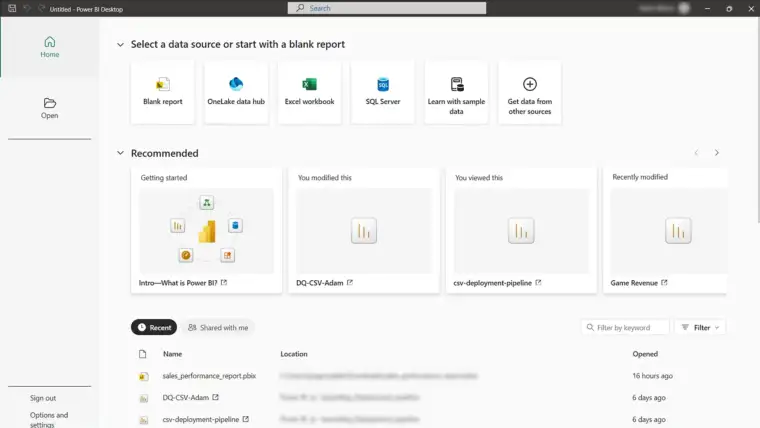
Core Functions of Power BI
Power BI provides a set of core functions that support the process of collecting, preparing, analyzing, and presenting data. These functions allow users to work with data from multiple sources and transform it into structured, interactive reports.
Data Connectivity
Power BI connects to a wide range of data sources, including relational databases, flat files, cloud-based services, and online applications. It supports both import and live connection methods, enabling users to work with historical and real-time data.
Data Modeling
The platform enables users to define relationships between tables, create measures, and apply data models. These models form the foundation for accurate analysis and reporting.
Data Visualization
The platform provides interactive visual elements such as charts, tables, maps, and KPIs. Users can customize visuals and interact with reports through filtering, slicing, and drill-down actions.
Reporting and Dashboards
Power BI supports the creation of structured reports and dashboards that consolidate multiple visuals into a single view. Reports can be published and accessed through the platform’s service.
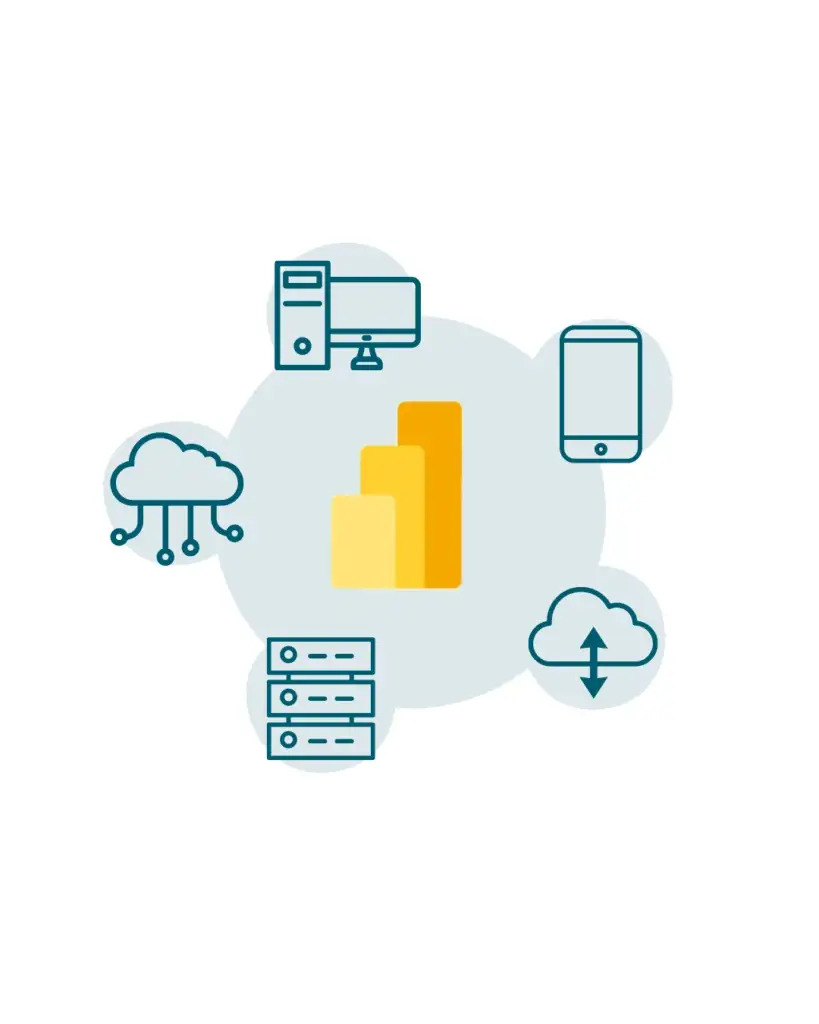
Power BI Components
Power BI consists of several components that work together to support data analysis, reporting, and distribution. Each component is designed for a specific role within the reporting lifecycle, from data preparation to report consumption.
Desktop
This platform’s Desktop is a Windows-based application used to create data models, reports, and visualizations. It provides tools for data transformation, modeling, and report design and is typically used by report authors and analysts.
Service
This service is a cloud-based platform used to publish, manage, and share reports and dashboards. It enables collaboration, access control, and centralized report distribution through a web browser.
Mobile
The platform’s mobile applications allow users to view and interact with reports and dashboards on mobile devices. The mobile apps are available for iOS and Android and are designed for optimized viewing on smaller screens.
Report Server
The Report Server is an on-premises reporting solution that allows organizations to host Power BI reports within their own infrastructure. It is typically used in environments with strict data residency or compliance requirements.
On-Premises Data Gateway
The on-premises data gateway enables secure data transfer between on-premises data sources and the Power BI Service. It allows the service to access data that is not available in the cloud.
Make Better Decisions With Your Data
Use Power BI to transform complex data into interactive reports and dashboards.
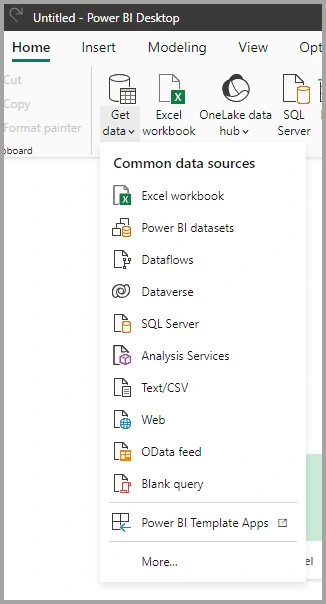
Power BI Data Sources
Power BI supports connectivity to a wide range of data sources, allowing users to analyze data from different systems within a single reporting environment. These data sources can be cloud-based, on-premises, or file-based.
File-Based Data Sources
The platform can connect to local and shared files, including Excel workbooks, CSV files, XML files, and text files. These sources are commonly used for importing structured and semi-structured data.
Database Data Sources
It supports connections to relational and analytical databases such as SQL Server, Oracle, MySQL, PostgreSQL, and other enterprise data platforms. Data can be imported or accessed through live connections, depending on the source.
Cloud and Online Services
The platform provides built-in connectors for cloud services and online applications, including Azure services, SharePoint, Dynamics 365, and other SaaS platforms. These connectors allow direct access to cloud-hosted data.
On-Premises Data Sources
For data stored within local infrastructure, it can securely access on-premises systems using the on-premises data gateway. This enables integration with internal databases and applications that are not exposed to the cloud.
How the platform Works
Power BI follows a structured process that enables users to transform raw data into interactive reports and dashboards. This process involves data connection, preparation, modeling, visualization, and distribution.
First, it connects to data from supported sources, including files, databases, and cloud services. The data is then prepared and transformed using built-in tools to ensure it is structured and ready for analysis.
Next, the data is modeled by defining relationships, measures, and calculations. This model serves as the analytical foundation for reports and ensures consistent results across visualizations.
Once the data model is in place, reports are created using interactive visual elements. These reports can be published to the Service, where they are stored, managed, and shared with users through web or mobile access.
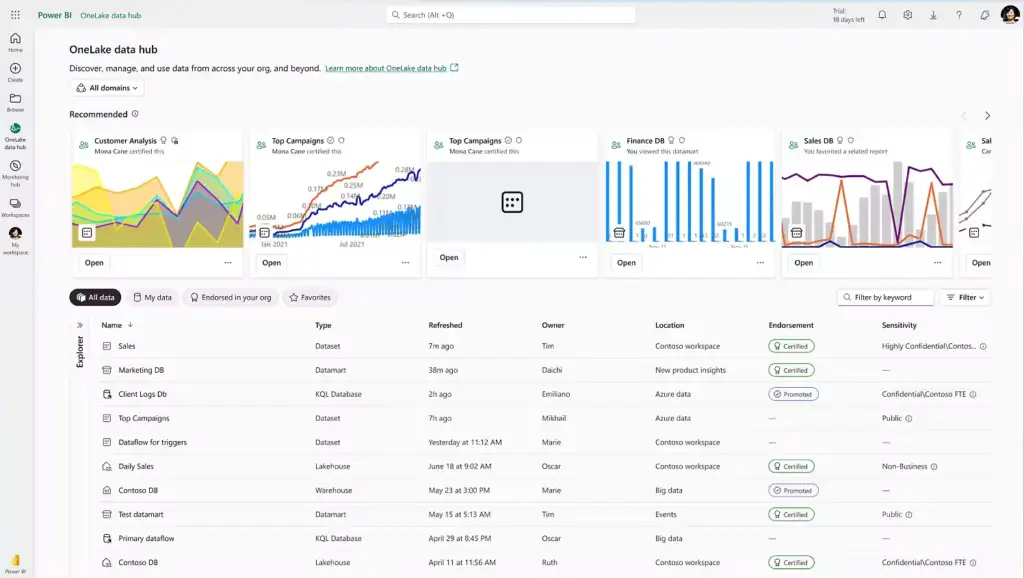
Power BI Architecture
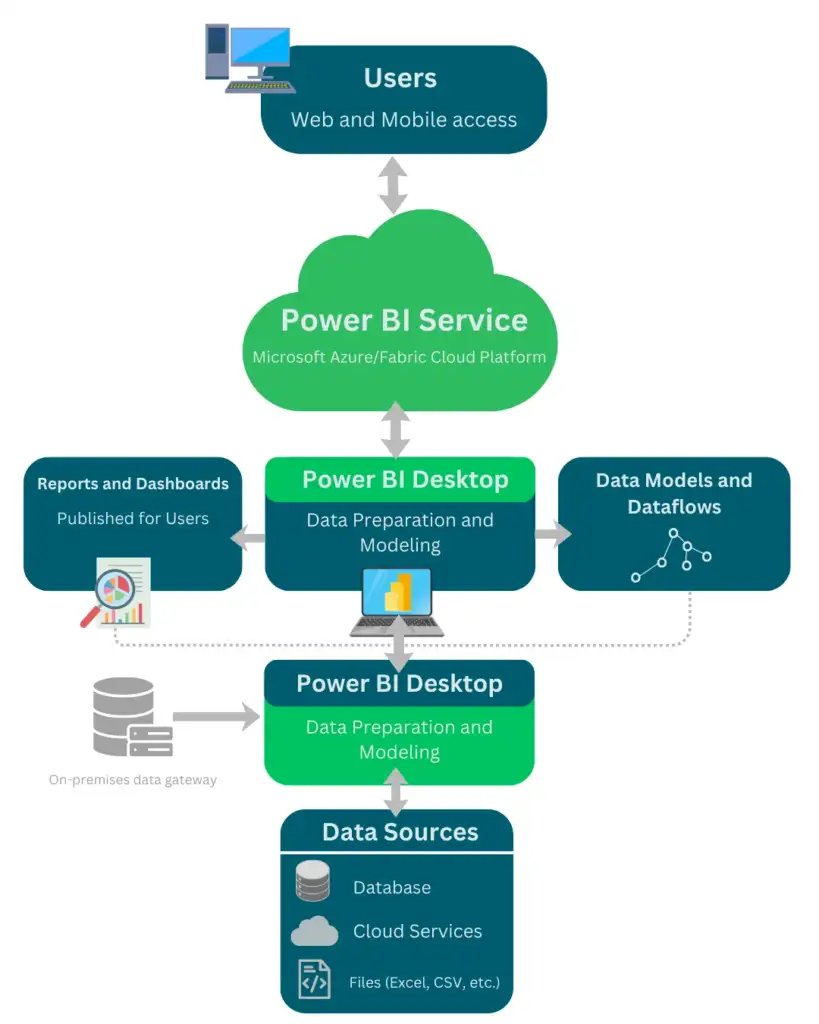
Power BI architecture defines how data flows from source systems to reports and dashboards. It consists of on-premises and cloud-based components that work together to support data processing, storage, and visualization.
Data is sourced from files, databases, or cloud services and, when required, accessed through the on-premises data gateway. After data is connected, it is processed and stored within the platform’s data model.
Reports created in the service’s Desktop are published to the the platform’s Service, where they are rendered and made available to users. The Service manages report storage, refresh operations, security, and user access. End users interact with reports through web browsers or mobile applications.
Depending on deployment requirements, Power BI architecture can support cloud-only, hybrid, or on-premises scenarios using the Report Server.
Licensing and Editions
Power BI is available through several licensing options designed to support different usage and deployment requirements. Licensing determines how reports are shared, accessed, and managed within an organization.
Free
The Free version allows users to create reports and dashboards using the Desktop and publish them to their personal workspace. Content sharing and collaboration features are limited.
Pro
The Pro version enables users to publish, share, and collaborate on reports and dashboards within the platform’s service. It supports team-based reporting and access control across workspaces.
BI Premium
The premium version provides advanced deployment and performance capabilities through dedicated capacity. It supports large-scale distribution, enhanced performance, and access to reports without requiring individual Pro licenses for viewers.
Premium Per User
The Premium Per User offers access to premium features on a per-user basis. It is designed for organizations that require advanced capabilities without deploying dedicated capacity.


Implementation Overview
Power BI implementation refers to the process of configuring the platform to meet an organization’s reporting and analytical requirements. This process typically involves data integration, model design, report development, and security configuration.
Implementation usually begins with identifying data sources and defining reporting requirements. Data is then connected, transformed, and modeled to support accurate analysis and consistent results across reports.
Once the data model is established, reports and dashboards are developed based on business needs. Security roles, access permissions, and refresh schedules are configured to ensure controlled and reliable data access.
After testing and validation, the platform’s content is published and made available to users through the selected deployment model. Ongoing maintenance may include data model updates, performance optimization, and governance adjustments.
Power BI FAQ
Power BI supports customization through custom visuals, calculated measures, themes, and advanced modeling features.
Yes, this platform is widely used in enterprise environments and supports scalability, security, governance, and integration with enterprise systems.
This platform can work with large datasets using data modeling, aggregation, and premium capacity features designed for high-volume data.
Yes, the platform supports embedding reports and dashboards into applications, portals, and websites using Power BI Embedded and secure access methods.