

Microsoft Dynamics 365 Business Central

A powerful ERP solution for small and mid-sized businesses.

What Is Microsoft Dynamics 365 Business Central?

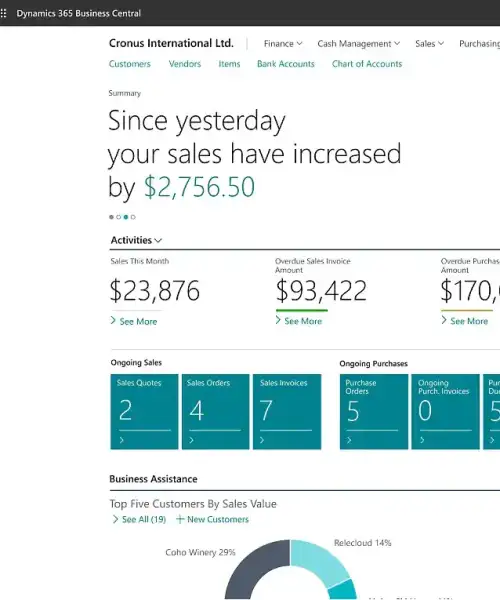
Microsoft Dynamics 365 Business Central helps organizations manage their core business processes in one system. It brings finance, sales, purchasing, inventory, and operations together, so teams across the business work with the same data.

Business Central is an enterprise resource planning (ERP) solution for small and mid-sized businesses that have outgrown basic software. It gives these organizations better control and visibility across their operations. Business Central can run in the public cloud, private cloud, or on-premises, and it is the modern successor to Microsoft Dynamics NAV, also known as Navision.

Business Central acts as a single source of truth for financial and operational data. It supports business growth, improves how teams work together, and offers a flexible foundation that organizations can configure and keep up to date through Microsoft updates.

Microsoft Dynamics 365 Business Central GEM365

Core Functions of Microsoft Dynamics 365 Business Central

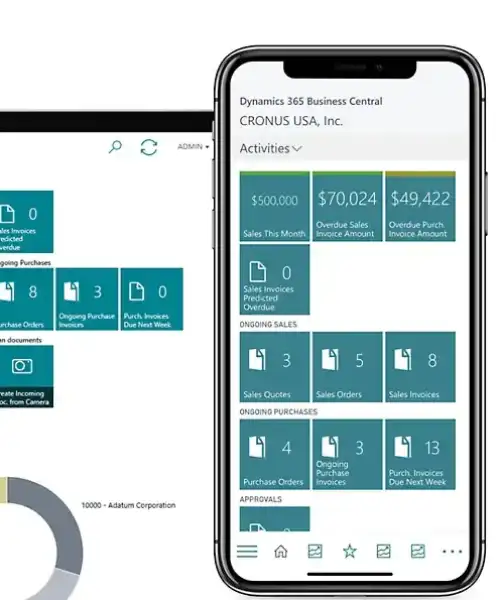
Microsoft Dynamics 365 Business Central includes a set of core functions that work together in one system. Each function shares the same data, which helps teams stay aligned and reduces manual work. Business Central integrates with Microsoft 365, Power BI, and the Microsoft Power Platform, allowing users to work with business data in familiar tools and extend the system when needed.

Financial Management

Manage general ledger, budgets, cash flow, and financial reporting. Financial data updates automatically as transactions occur in other areas of the system.

Sales Management

Create and manage quotes, sales orders, and invoices. Customer data, pricing, and credit limits stay consistent across the sales process.

Purchasing Management

Handle vendors, purchase orders, and supplier invoices. Purchasing activities connect directly to inventory and finance.

Inventory Management

Track stock levels, item movements, and storage locations in real time. Inventory data stays accurate across sales and purchasing activities.

Operations Management

Support operational needs such as project management, service management, and manufacturing, depending on business requirements.

Reporting and Visibility

Access real-time data across finance and operations to support reporting and informed decision-making.

What Problems Does Microsoft Dynamics 365 Business Central Solve GEM365

What Problems Does Microsoft Dynamics 365 Business Central Solve?

As businesses grow, managing operations across separate tools becomes harder. Data stops matching, manual work increases, and teams lose visibility into what is really happening. Microsoft Dynamics 365 Business Central helps address these challenges by connecting financial and operational processes in one system.

Business Central helps organizations solve common, real-world problems such as:

  • Financial data that does not match across systems
    Sales, purchasing, inventory, and costs are recorded in one system. Financial reports reflect actual activity without manual reconciliation.

  • Too much time spent on reporting
    Data updates as work is completed. Teams can review current results without exporting data or rebuilding reports in spreadsheets.

  • Sales committing to stock that is not available
    Inventory levels update in real time. Sales teams can confirm orders based on accurate availability.

  • Manual handoffs between departments
    When an order, invoice, or purchase is created, related records update automatically. Information does not need to be re-entered across systems.

  • Unclear control over approvals and posting
    Role-based access and approval workflows help ensure that only authorized users can approve transactions or post financial entries.

  • Systems that struggle as the business grows
    Business Central supports more users, higher transaction volumes, and additional processes without requiring a system replacement.

This approach helps businesses maintain accuracy, improve coordination between teams, and operate with greater control as complexity increases.

Business Central Hosting Options

Business Central can be hosted in different ways, depending on how much control, responsibility, and flexibility an organization needs. Each option supports the same core functionality, but the experience of managing the system can be different.

  • Cloud (Microsoft-managed SaaS)
    With this option, Microsoft manages the infrastructure, security, and system updates.This option works well for businesses that want predictable updates, lower IT overhead, and faster access to new features.

  • Partner-hosted cloud
    In this setup, the system runs in a dedicated cloud environment hosted by a Microsoft partner. This option suits organizations that need flexibility beyond standard cloud services but do not want to manage physical infrastructure.

  • On-premises
    Here, the system runs on servers managed by the organization. This option fits businesses with strict regulatory requirements, legacy integrations, or internal IT policies that require full control over data and infrastructure.

Hosting Options GEM365
Business Central Implementation and Customization GEM365

Business Central Implementation and Customization

Setting up Business Central requires careful planning. When this work is rushed or poorly planned, it can lead to rework, higher costs, and disruption to day-to-day operations.

During the setup phase, existing data needs to be reviewed and migrated correctly to avoid gaps or inconsistencies. At the same time, user roles and permissions need to be defined so responsibilities are clear and proper control is maintained.

As part of the setup, Business Central allows workflows, approvals, and reports to be configured to match business requirements. When needed, additional functionality can be added without changing the core system. This helps support specific processes while keeping the platform stable and easy to maintain.

If you are planning a Business Central implementation or upgrade, our team can help guide the process and support a smooth and structured setup.

Microsoft Dynamics 365 Business Central Licensing Overview

Business Central uses a user-based licensing model, where licenses are assigned based on how each user works in the system rather than company size or data volume.

Key points about Business Central licensing include:

  • User-based licensing
    Licenses are assigned per user based on role and access level, not on transaction volume or number of records.

  • Essentials, Premium, and Team Members licenses
    Essentials and Premium licenses are used by users working in core areas such as finance, sales, purchasing, inventory, and operations. Team Members licenses provide access to a limited set of tasks, such as viewing data or completing specific actions.

  • License types based on functionality
    Different license types are available depending on the level of functionality required. This allows organizations to align licensing with how the system is actually used.

  • Licensing depends on system usage
    Licensing requirements vary based on user roles, deployment approach, and system scope. Reviewing how teams interact with Business Central helps ensure licensing remains appropriate and cost-effective.

Microsoft Dynamics 365 Business Central Licensing Overview GEM365

Make Business Central Work for Your Business

The Business Technology Services team at GEM365 helps organizations plan, implement, and improve Business Central with clarity and care. Talk to us to see how Business Central can be shaped around your processes, not the other way around.

Forbes Advisor best cloud ERP 2025

Why Forbes Chose MS Business Central as the Best ERP for SMEs in 2025?

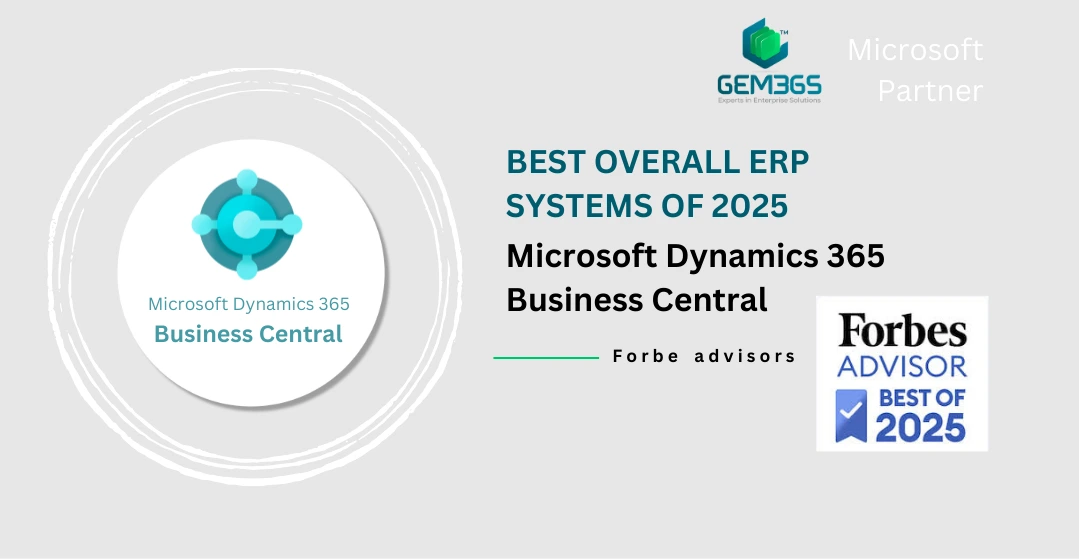
In 2025, Forbes Advisor ranked Microsoft Dynamics 365 Business Central as the best ERP system for small and medium-sized businesses, and for good reason.
Extensions: A New Approach to Customization

Business Central uses extensions to customize the system in a simpler, more flexible way, without disrupting core functionality. This concept, also available in newer versions of NAV, is key when moving to the cloud.

Why extensions matter:

  • Easier Upgrades: Microsoft updates Business Central twice a year. With extensions, your customizations stay intact so upgrades rarely break anything.

  • Lower IT Workload: Microsoft handles servers and updates, so your IT team doesn’t have to manage on-premises hardware or install new versions manually.

  • Flexible System Architecture: Customizations are kept separate from the core app. This prevents conflicts and makes changes safer.

GEM365 Extensions published on Microsoft AppSource

Gem365 Microsoft Business Central

GEM365 Visual Production Scheduler

Streamline your production scheduling with our interactive Gantt calendar view. Effortlessly visualize and manage production activities across all work centers, spanning hours, days, weeks, months, or even years.
Gem365 Microsoft Business Central

GEM365 Permission Matrix Insight

GEM365 Permission Matrix Insight is your ultimate tool for managing user permissions in Microsoft Business Central. Easily display, compare, and analyze permissions by data type or ID, understand access origins, and maintain consistency across users.

Microsoft Dynamics Business Central FAQ

Microsoft renamed and modernized NAV into Business Central. It retains core ERP functionality while adding cloud deployment, continuous updates, and tighter integration with Microsoft 365 and Power Platform.

Yes. Business Central supports configuration and extensibility. Users can create workflows, fields, and processes through built-in settings, add-ons from Microsoft AppSource, and custom extensions developed on the Power Platform.

You can contact our experts for more information on here. Or you can fill in our form and we will contact you as soon as possible.

Microsoft Dynamics 365 Business Central is mainly an ERP (Enterprise Resource Planning) system. It does include basic CRM-style features for managing customer records and simple sales information. But it is not a full CRM system focused on advanced sales, marketing, or customer service automation. For deeper customer relationship needs, many businesses combine Business Central with a dedicated CRM like Dynamics 365 Sales.

Microsoft Dynamics 365 Business Central documentation

Get the most out of Dynamics 365 Business Central with helpful training, guides, and videos. Learn how to manage and streamline key operations, like finance, sales, and manufacturing. All across your small or medium-sized business.

schedule a free consultation session

Tell us your Pain-Points and we provide the solution

Whether you are thinking of implementing a new Microsoft software solution or you want to improve the capabilities and quality of service and gain more value from your Microsoft 365 or Dynamics 365 Apps, book a free consulting session with us!

Your benefits:
What happens next?
1

We Schedule a call and ask you to fill a simple form so we can choose the best consultant for you.

2

We do a discovery and consulting meeting, and clarify your needs

3

We give you tailored demonstration and prepare a proposal based on your requirements.

Schedule a Free Consultation
Please enable JavaScript in your browser to complete this form.
Name
By submitting, you agree to our Terms and Conditions.