


What Is Dynamics 365 Sales?
Dynamics 365 Sales is Microsoft’s customer relationship management (CRM) solution designed to support sales teams in managing leads, opportunities, customer relationships, and sales activities within a single system. It provides a structured platform for tracking the entire sales lifecycle, from initial engagement through deal closure and ongoing account management.
As part of the Microsoft platform, Dynamics Sales works alongside other Microsoft business applications, enabling organizations to centralize sales data and maintain consistency across teams and processes.
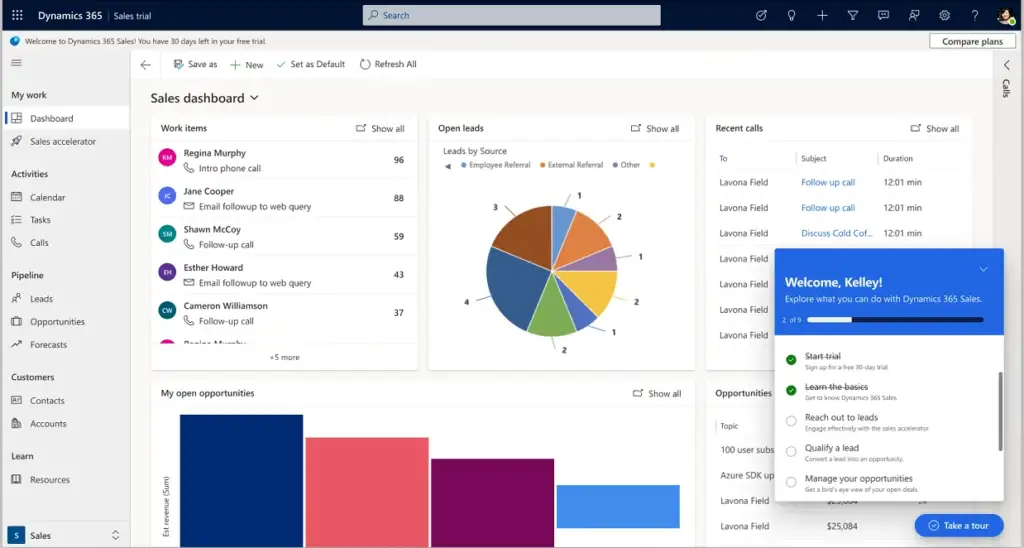
Core Functions of Dynamics 365 Sales
Dynamics 365 Sales supports the main tasks sales teams handle each day. It focuses on clarity, control, and accurate data.
Lead Management
Sales teams can capture and qualify leads in one place. Leads can move through defined stages based on set rules.
Opportunity Management
Teams can track deals from early interest to close. Each opportunity shows value, status, and expected close date.
Sales Pipeline Tracking
Managers can view the full pipeline across teams and periods. This helps identify risks and gaps early.
Activity and Relationship Tracking
Emails, meetings, and calls link to accounts and opportunities. This keeps sales records complete and consistent.
Sales Forecasting
Forecasts use pipeline data to show expected revenue. Teams can review forecasts by period, owner, or stage.
Reporting and Dashboards
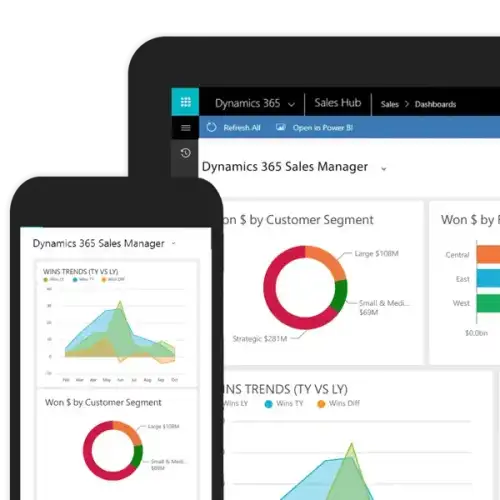
Built-in reports show sales performance and trends. Dashboards provide a shared view of key sales metrics.

How Dynamics 365 Sales Benefits Sales Teams
Dynamics Sales helps sales teams work with shared data and clear processes. It supports consistent tracking and informed decisions.
Clear visibility across the sales pipeline
Sales leaders can view deals, stages, and expected revenue in one system. This supports planning and early risk review.More reliable sales forecasts
Forecasts use live opportunity data. Teams can review revenue outlooks by period, owner, or stage.Less manual sales administration
Sales activities link directly to customer and opportunity records. This reduces duplicate entry and missing data.Better collaboration between teams
Teams work from shared records and timelines. This supports smoother handovers and follow-ups.Use of familiar Microsoft tools
The platform connects with Outlook, Teams, Excel, and Power BI. Teams can manage communication and review data without switching systems.AI support with Copilot
Sales teams can use Microsoft Copilot to review opportunity summaries, draft emails, and identify next actions using existing sales data.Support for growing sales teams
As sales activity increases, teams can add users, adjust processes, and extend reporting without replacing the system.
Let’s Talk About Your Sales Process
If you’re exploring Dynamics 365 Sales, a quick conversation can help you see how it would work for your team.
Dynamics 365 Sales Implementation
An implementation works best when it reflects how sales teams already operate. The focus is on clarity, data quality, and adoption.
Review of the existing sales process
Sales teams often use different stages, tools, or spreadsheets. Implementation starts by aligning Dynamics Sales with how leads and opportunities are handled today.Data preparation and migration
Customer and sales data is often incomplete or duplicated. Reviewing this data before migration helps teams start with cleaner and more reliable records.System configuration
Sales stages, fields, and views are set up to match reporting and daily work. Configuration prioritizes usability over complex customization.User roles and access control
Access levels are defined so users see what they need for their role. This helps protect data and keeps responsibilities clear.Training focused on daily sales tasks
Training covers core activities such as managing leads, updating opportunities, and tracking sales activity. This supports faster adoption.Ongoing review and adjustment
As sales teams use the system, processes and reports can be refined. This allows the system to keep pace with changing sales needs.

Dynamics 365 Sales Licensing Overview
Microsoft Dynamics Sales uses a user-based licensing model. Licenses are assigned based on how users work with the system.
Core sales users
Users who manage leads, opportunities, accounts, and sales activities.Light or team users
Users who need limited access to view records, collaborate, or update basic information.Additional capabilities
Optional features such as advanced forecasting, reporting, or AI support can be added based on business needs.Alignment with other Dynamics 365 apps
Licensing should be reviewed alongside other Dynamics 365 applications already in use to ensure consistency and cost control.
Dynamics 365 Sales FAQ
Yes. Microsoft Dynamics Sales is Microsoft’s CRM application for sales teams. In simple terms, it’s the system where sales teams manage leads, track opportunities, record customer interactions, and follow deals from first contact to close. When people say “Microsoft CRM,” they are usually referring to Dynamics Sales.
Yes. Dynamics 365 Sales is not limited to large organizations. Small sales teams often start with a simple setup and expand it over time. The system and licensing can grow as the team grows, so there is no need to over-engineer things at the start.
Yes. One of the main reasons teams choose Dynamics 365 Sales is that it works with tools they already use. Emails, meetings, and contacts from Outlook can link to sales records, and Teams, Excel, and Power BI can be used alongside the CRM for collaboration and reporting.
That depends on how complex your sales process is and how clean your existing data is. A straightforward setup can be completed in a short time. More complex sales processes, reporting needs, or data migration requirements will take longer.